How Continia Automates Finance Workflows in Dynamics 365 Business Central

Continia Automates Finance Workflows

Introduction: The Finance Automation Imperative

Finance teams are under more pressure than ever. As businesses strive to do more with less, manual data entry, paper invoices, and spreadsheets have become bottlenecks slowing growth, increasing error rates, and distracting staff from adding strategic value. Cloud ERP platforms like Dynamics 365 Business Central have made big strides addressing these challenges—but even Business Central has process gaps and admin burdens that slow finance down.

These inefficiencies directly impact profitability, which is why many SMBs focus on how Business Central and Continia cut costs for SMBs in 2025 through finance automation and smarter workflows.

That’s where Continia comes in. With a suite of automation solutions purpose-built for Microsoft Dynamics 365 Business Central, Continia transforms the way businesses handle accounts payable, receivable, expense management, banking, reporting, and compliance. In this guide, we’ll unpack Continia’s impact—why it matters, what it automates, how it works, and the real differences it delivers for finance teams.

Understanding Continia: Building Automation Inside Business Central

Continia is not a standalone external app or an awkwardly glued-on portal. Its solutions are designed to live inside Business Central, extending the native interface, workflows, and data model. This approach ensures:

  • Zero context switching—staff work directly within a familiar system
  • Full data consistency and security
  • Seamless upgrades as business needs grow
  • Reduced change management and training needs


Continia makes finance automation feel like a natural part of your daily Business Central experience.


Core Areas of Automation: Continia’s Finance Solutions

Accounts Payable Automation (Document Capture)

1. Accounts Payable Automation (Document Capture)

Automating the receipt, processing, approval, and archiving of supplier invoices is one of the greatest impact areas:

  • Automatic Invoice Capture: Continia Document Capture scans incoming invoices (PDFs, emails, scanned docs), extracts key data (supplier, amounts, VAT, dates) using OCR and AI, and creates transactions within Business Central—no manual retyping.
  • Intelligent Matching: The system matches supplier invoices to purchase orders and receipts, flagging discrepancies for review.
  • On-screen Markup and Notes: Reviewers can annotate invoices and clarify context right inside the workflow.
  • Audit Trail: Every step—including edits, approvals, and rejections—is recorded, ensuring compliance and traceability.


Impact: Businesses can eliminate more than 90% of manual AP steps, cut time-to-posting, and reduce invoice processing turnaround from weeks to days or hours.

Expense Management Automation

2. Expense Management Automation

Employee expenses and reimbursements are painful for both staff and accounts teams. Continia Expense Management brings:

  • Mobile Receipt Capture: Employees snap receipts with their smartphone; AI reads details and suggests expense categories.
  • Real-time Policy Checks: Expenses are matched against company travel and spending policies, auto-flagging outliers.
  • Manager Approval Flows: Simple, mobile-friendly interfaces ensure line managers approve claims quickly—no more hunting down paperwork.
  • ERP Integration: Approved expenses sync into payroll and AP instantly—no more spreadsheet imports or duplicate entry.
  • Digital Archiving: All submissions, receipts, and communications are retained securely for later review and compliance.


Impact: Drastically reduces manual entry and approval delays, improves spend visibility, and ensures everyone gets reimbursed on time.

From LS Nav to LS Central SaaS

3. Accounts Receivable and Document Distribution (Document Output)

Sending invoices, remittances, and statements should be seamless—not a manual PDF export/upload/download task:

  • Automated Document Creation: Invoices and AR outputs are generated based on real transactions in Business Central.
  • Custom Templates: Emails and PDFs can feature branded templates, personalized communication, and tailored content based on customer or context.
  • Scheduled Sending: Batch and scheduled output ensure documents are sent when needed, not just when someone remembers.
  • Status Tracking: Finance teams see what’s been sent, opened, bounced, or overdue—enabling timely follow-up.


Result: AR closes faster, errors drop, and teams spend less time exporting and emailing documents.

Payment Management and Bank Reconciliation

4. Payment Management and Bank Reconciliation

Cash flow is king. Payment management is at the core of financial operations, and Continia delivers big advantages:

  • Bulk Payments and File Generation: Payment journals are prepared and electronic payment files created for local banks—no need to enter data into banking portals.
  • Automated Matching and Reconciliation: Continia imports bank statements, auto-matches payments to transactions using AI-augmented rules, and highlights exceptions for review.
  • Global Bank Formatting Support: Whether you’re paying locally or internationally, Continia handles various bank file formats and regulatory requirements.
  • Audit Trails: Every step in the payments and reconciliation process is logged for compliance and easy audit.


These features turn previously days-long tasks into an exercise of minutes.

Comprehensive Finance Add-Ons (Continia Finance)

5. Comprehensive Finance Add-Ons (Continia Finance)

For advanced finance management, Continia offers powerful extensions that plug holes in Business Central’s native functionality:

  • Enhanced G/L and VAT Handling: Original currency tracking, automated VAT validation, and dimension assignment ensure reporting accuracy.
  • Associations Module: Group together customers and vendors (such as franchises or parent-subsidiary networks) for consolidated reconciliation and reporting.
  • Extended Fixed Assets: Improved templates for creating, retiring, and adjusting assets streamline asset accounting workflows.
  • Treasury Management: Consolidate liquidity data, payment journals, proposals, and balances from all companies for group-wide cash management.
  • Factoring and Installments: Automate customer payment splitting, early payment discounts, and manage factoring/export processes—all directly in the ERP.
  • Extended Financial Reports: Enable richer year-end and management reporting, aggregate or filter data flexibly, and output for compliance.

Why Traditional Finance Workflows Slow You Down

Manual finance processes create delays, errors, and bottlenecks across the entire AP workflow. Teams often spend hours entering invoice data, tracking missing documents, and following up on approvals. These challenges make month-end closing difficult and increase compliance risks. Continia solves these issues by automating repetitive tasks directly inside Business Central—making your finance team faster, more accurate, and fully streamlined.
How Continia Delivers Automation: In-Depth Workflow Breakdown

Accounts Payable (AP) Automation

  1. Invoice Capture: Supplier invoices received by email, scan, or upload enter Continia Document Capture queue.
  2. Data Extraction: OCR and machine learning pull out all relevant invoice tags (supplier, lines, VAT, due date).
  3. Auto-Matching: Invoices are compared to open purchase orders and receipts, flagging any mismatches or missing information.
  4. Approval Routing: Smart workflow rules determine which managers need to approve—a dynamic, multi-tiered process.
  5. Coding & Posting: Once approved, invoices are coded for accounting, VAT, and dimensions and posted to Business Central.
  6. Digital Archiving: Every invoice, comment, and action is kept in a secure, indexed online archive.
  7. Real-Time Visibility: Users and managers can monitor status, bottlenecks, exceptions, and compliance in dashboard views.

Key Benefits:

  • Zero double entry
  • Instant invoice status updates
  • Real-time reporting and audit trails
  • Massive time savings and fewer errors
  • Ready for regulatory/audit checks with full documentation.
  •  

Expense Management Workflow

  • Submission: Employees capture receipts and submit claims via mobile or web, tagging categories/cost centers.
  • Validation: The system auto-checks policy compliance, fills known fields, and attaches digital evidence for each claim.
  • Approval: Route to manager or designated approver, who can see backing evidence and policy flags.
  • Export: Approved claims automatically exported to payroll or AP for reimbursement, no extra manual tasks.

Payment and Reconciliation

  • Vendor Payment Runs: Finance operators create payment proposals, batch together invoices due, and generate payment files for upload or direct banking interface.
  • Bank Integration: Bank statements automatically imported, transactions reconciled to paid/unpaid status, with any discrepancies flagged for attention.
  • Centralized Treasury: For multi-entity groups, cash and payments are consolidated in dashboards for active liquidity management.

Technical Deep-Dive: What Makes Continia Stand Out

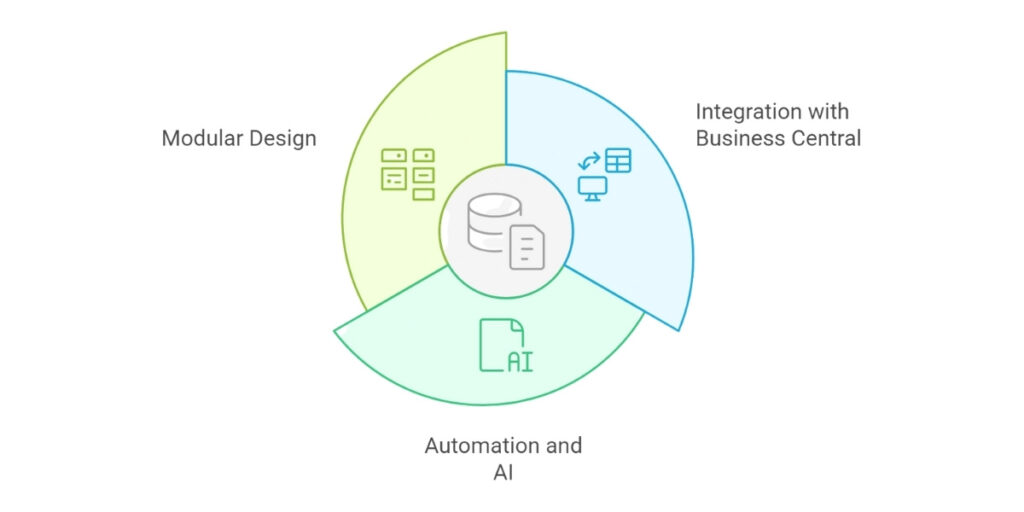
continia standout feature

100% Built Inside Business Central

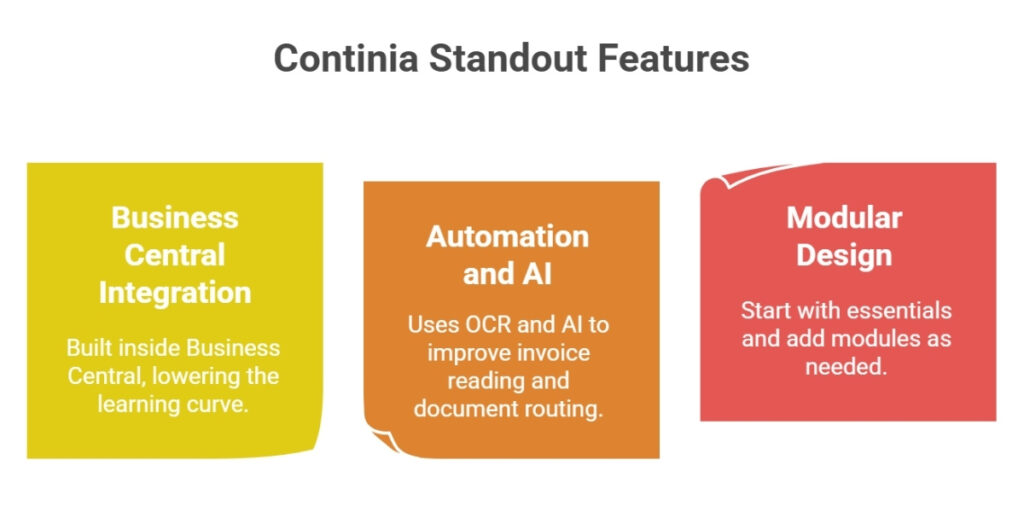
  • No third-party portals: Users navigate familiar Business Central menus, screens, and dashboards—lowering the learning curve.
  • Consistent Security & Permissions: Leverages Microsoft’s security and compliance models—data access is controlled centrally.
  • Automatic Upgrades: Compatible with Business Central updates for trouble-free ongoing operation.

Automation and AI

  • Data Extraction and Smart Matching: Continia uses advanced OCR and, in recent updates, AI/machine learning to improve both invoice reading and document routing. These algorithms improve as they process more documents, reducing manual spot checks over time.
  • Automated Policy and Compliance Checks: VAT validation, payment terms, discount tracking, and dimension assignment keep data clean and reports accurate.

Modular, Scalable Design

  • Free Essentials to Specialist Modules: Businesses start with the essential toolkit (at no extra cost) and add only the modules they need—Associations, Extended G/L, Factoring, Installments, Treasury, etc..
  • Integration Flexibility: Pre-built connectors for banks, e-commerce, logistics, payroll, and reporting tools mean finance teams can automate across their ecosystem.

Value Proposition: What Do Finance Teams and Business Leaders Gain?

Making the Move Best Practices for Transition

Efficiency & Productivity

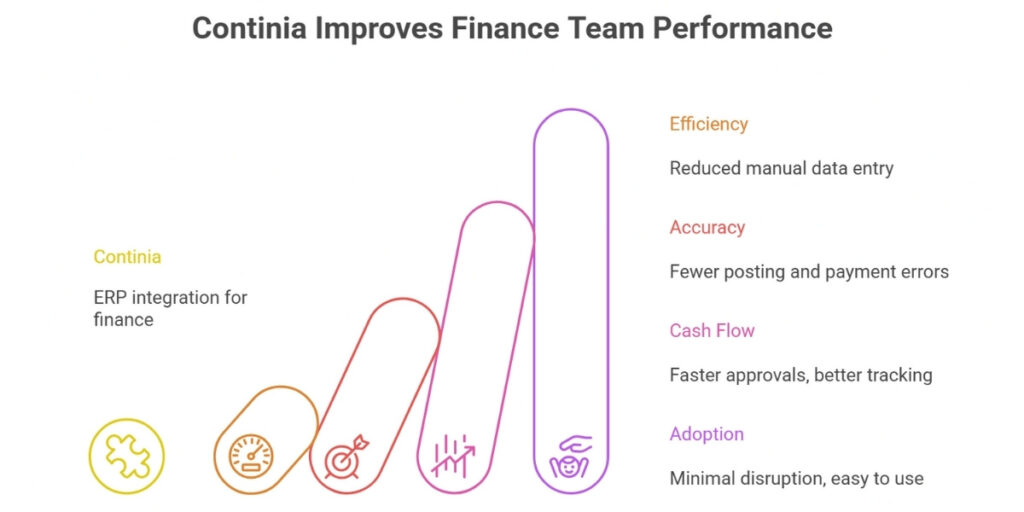
  • Reduce manual ERP data entry by up to 90%
  • Speed up invoice-to-pay cycles by 50–80%
  • Free up staff for strategic work—analysis, forecasting, supplier management

Accuracy & Compliance

  • Drastically reduces posting errors and payment delays
  • Maintains a transparent, tamper-proof digital audit trail for every transaction
  • VAT and compliance reporting are more reliable and pain-free

Cash Flow & Control

  • Faster approvals mean timely supplier payments and more early discounts
  • Real-time spend tracking and forecasting
  • Stronger cash management through centralized dashboards for all finance functions

Adoption & Usability

  • No major retraining or “tool fatigue”—Continia lives where finance teams already work (in your ERP)
  • Minimal disruption to existing processes
  • Improved employee satisfaction as tedious “busywork” evaporates

Table: Continia Modules and Their Business Impact

Module Business Central Limitation Continia Automation Benefit
Document Capture Manual invoice handling Automatic data extraction, approval, archive
Expense Management Manual expense input/reports Mobile receipts, auto-policy check, approvals
Document Output Manual AR output/emails Automated, branded, tracked AR docs
Payment Management Manual payment file creation Bulk payment files, auto matching/reconcile
Finance (Essentials) G/L & VAT basics only Smart VAT/currency, dimension auto-alloc
Extended Fixed Assets Basic asset management Templates, partial retirements, batch action
Associations No customer grouping Multi-entity reconciliation, unified reports
Treasury Manual liquidity monitoring Real-time cash/bank/journal centralization

Real-World Example: Australian Retailer Achieves Finance Transformation

A growing Aussie retail chain struggled to keep AP and expenses under control. With Continia, invoice processing time shrank from a week to 24 hours. Finance staff validated over 90% of approvals from their inbox. Expense claims dropped from ‘paper storm’ to self-service mobile entry, freeing staff for stock planning and analysis. As a result, their finance team handled expansion to new stores—without adding extra admin staff or hours.

Forward-Looking: AI, Integration, and Sustainable Finance

Continia continues to evolve with AI-powered invoice interpretation, automating even more review steps and learning from user feedback. Upcoming modules support carbon emissions tracking, helping businesses automate not just financial, but environmental reporting. As finance complexity grows, Continia’s deep integration ensures businesses are ready for whatever’s next.

Conclusion: Automation That Works Where You Do

Continia’s finance automation suite inside Dynamics 365 Business Central changes the game for modern finance teams. By combining smart data capture, flexible workflows, powerful reporting, and seamless integration—all within the familiar Business Central interface—Continia removes the friction from daily finance tasks. The benefit? Faster processes, higher accuracy, happier teams, and leaders confident that finance is ready for growth, compliance, and the future.

If your business is ready to upgrade from manual, paper-driven finance to a smarter, connected, and agile future, Continia and Business Central deliver a powerful, proven path forward.

Frequently Asked Questions

What is Continia and how does it integrate with Dynamics 365 Business Central?

Continia is a suite of finance automation solutions designed to work seamlessly within Microsoft Dynamics 365 Business Central. It automates key finance workflows such as invoice processing, expense management, payment handling, and document capture directly inside the ERP environment.

Continia automates several critical finance workflows including invoice capture and approval, expense reporting and reimbursement, payment processing, bank reconciliation, document archiving, and collections management.

Continia uses OCR (Optical Character Recognition) technology to automatically scan and extract data from invoices. The data is validated and entered into Business Central, reducing manual data entry and accelerating invoice approval workflows.

Yes, Continia automates expense tracking and reporting by enabling employees to capture receipts digitally, track mileage, and submit expenses through mobile or web portals. Approval workflows and integration with Business Central streamline reimbursements.

Continia automates payment matching by connecting payment data with invoices and bank transactions. The solution supports electronic invoice approval and automates bank reconciliation, reducing errors and manual reconciliation time.

Yes, Continia provides solutions for automated document capture, output, and archiving. This ensures all finance-related documents are electronically stored and easily retrievable from within Business Central.

Benefits include increased accuracy and efficiency, reduced manual workload and errors, faster processing times, improved compliance and audit readiness, enhanced visibility and control over financial operations, and seamless integration with Business Central.

Yes, Continia is designed to scale and support SMBs by automating routine finance tasks, allowing finance teams to focus on higher-value activities and strategic financial management.

Continia solutions are designed for quick deployment and tight integration with Business Central, minimizing disruption. Many features are configurable to adapt to specific business requirements.

Yes, Continia offers mobile-friendly features for expense capture, approvals, and document management, enabling finance workflow automation on the go.

Let’s Connect

Tell us what you’re looking for, and our experts will reach out with the next steps.