Imagine this: running a manufacturing business where raw materials arrive unpredictably, machines occasionally break down, and your sales orders pile up faster than you can process them. Inventory mismatches cause delays in fulfilling customer orders, while manual scheduling eats away at valuable management time. Sound familiar? If yes, it’s a classic picture of what many manufacturers face every day, particularly small and mid-sized firms striving to compete in an increasingly demanding market.
Table of Contents
ToggleEnter Microsoft Dynamics 365 Business Central, a comprehensive ERP solution built to integrate and streamline manufacturing operations and inventory management. This smart, connected platform is designed to give manufacturers real-time visibility, flexible control, and automated processes that improve efficiency and agility.
In this blog, we’ll explore how Dynamics 365 Business Central can transform your manufacturing operations with simple, powerful tools — explaining key features step-by-step, and illustrating them with easy analogies. Whether you’re an operations manager, CFO, or business owner, this guide will help you understand the impact modern cloud ERP can have on your manufacturing success.
For professional help tailoring Business Central to your manufacturing business, visit WMS.
Business Central is an integrated cloud ERP that centralizes all key manufacturing and business processes—finance, procurement, inventory, production, sales, and customer service—within a single system.
For manufacturers, Business Central translates the complexity of materials, workflows, costs, and scheduling into clear, actionable insights and streamlined operations, empowering companies to:

Think of production orders as your manufacturing “to-do list.” They guide what needs to get made, when, and with what components.
Business Central’s production order feature lets you:
Analogy: Imagine a chef’s recipe book that updates in real time as ingredients are used and dishes are cooked, showing what’s left to prepare and when the meal will be ready.

BOMs are the recipes specifying what raw materials and components go into each finished product.
Business Central enables you to:
Analogy: Like a recipe adjusting ingredient quantities based on number of diners, Business Central scales BOM costs and components based on production orders.

Manufacturing isn’t just about parts—it’s about processes. Routing specifies the exact steps, sequences, and resources needed to produce each item.
In Business Central, routing:
Analogy: Think of routing as the factory’s itinerary planner, ensuring raw materials move through machines and tasks in the right order—avoiding bottlenecks.

Inventory is the lifeblood of manufacturing. Too much stock ties up cash; too little halts production.
Business Central offers:
Analogy: Imagine knowing exactly the ingredients in your kitchen at all times, being alerted when you’re low on flour or eggs, and having kitchen assistants ready to fetch them efficiently—this is what Business Central does digitally.
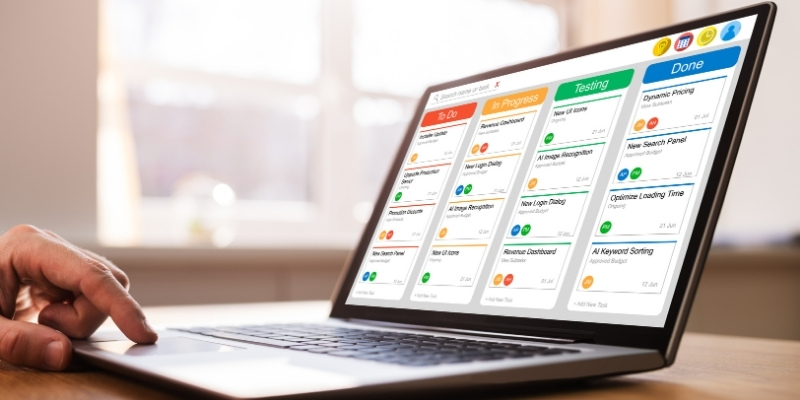
Efficient scheduling keeps your factory humming without overworking machines or staff.
Business Central’s planning tools allow you to:
Analogy: It’s like an orchestra conductor who ensures every instrument and musician comes in at just the right moment for a harmonious performance.

Maintaining product quality is essential—and Business Central makes it easier:
Analogy: Think of it as a built-in quality inspector who never sleeps and flags any issues immediately.

Business Central integrates full financial management for manufacturers:

| Focus Area | What It Means | Key Actions / Highlights |
|---|---|---|
| Real-Time KPI Monitoring | Track performance instantly using Business Central dashboards. |
|
| Bottleneck Detection | Identify where delays or inefficiencies happen in production. |
|
| Lean Manufacturing Integration | Apply lean principles to reduce waste and maximize value. |
|
| Shop Floor Feedback Loop | Continuous input from operators improves system accuracy. |
|
| Optimization Review Cycles | Regular process audits to refine productivity. |
|
| Training & Documentation | Ensure the team knows updated SOPs and routing changes. |
|
Australian manufacturing is navigating significant pressures — supply chain disruptions, rising labour costs and increasing compliance requirements. The shift from legacy systems like MYOB and outdated on-premises ERPs is accelerating as manufacturers demand real-time visibility and remote access to operational data.
Business Central is purpose-built for this environment. It meets Australian GST and BAS compliance requirements natively, integrates with local payroll providers and supports the multi-site operations common in Australian food, beverage, building materials and industrial manufacturing sectors.
For manufacturers managing complex warehouse operations, Business Central’s native inventory management can be extended with Tasklet Factory — a warehouse management system (WMS) add-on that adds barcode and RFID scanning, directed put-away and pick, and real-time bin management directly inside Business Central.
Work Made Simple WMS is a certified Tasklet Factory partner in Australia — the only Melbourne-based implementation partner combining Business Central, Tasklet Factory and LS Retail expertise.
A medium-sized Sydney-based manufacturer struggled with outdated ERP, slow production reporting, and inventory mismatches. After implementing Dynamics 365 Business Central:
Microsoft Dynamics 365 Business Central for Manufacturing combines powerful features with flexibility to streamline your entire production and inventory cycle. Whether you’re a small shop wanting control or a large enterprise seeking agility at scale, Business Central delivers real-time insights and effective automation.
Work Made Simple WMS implements Dynamics 365 Business Central for Australian manufacturers — from single-site SMBs to multi-location operations. We combine deep manufacturing ERP expertise with local Australian knowledge to deliver implementations that work from day one.
Explore more about Business Central and manufacturing ERP solutions by visiting WMS.
Microsoft Dynamics 365 Business Central is a cloud-based ERP solution that helps manufacturers streamline operations by connecting finance, production, inventory, and supply chain into one system. It provides real-time insights, automation, and scalability for businesses of all sizes.
Business Central uses advanced planning tools like Master Production Scheduling (MPS) and Material Requirements Planning (MRP) to align production capacity with customer demand. It ensures optimal machine usage, prevents bottlenecks, and helps manufacturers deliver on time.
Yes. Business Central provides real-time inventory visibility, automated stock replenishment, and warehouse management tools such as barcode/RFID scanning. This helps manufacturers avoid stockouts, reduce excess inventory, and optimize working capital.
Small manufacturers gain a flexible and cost-effective ERP with simplified setup, minimal IT infrastructure needs, and scalable modules. It provides real-time data to make faster decisions and helps manage production, inventory, and finances more efficiently.
Absolutely. Business Central supports enterprise-grade requirements like multi-site production, advanced scheduling, compliance, and IoT integration. Large manufacturers benefit from its customization, seamless integration with supplier/customer systems, and advanced analytics.
Business Central allows manufacturers to define inspection criteria, record testing results, track non-conformance, and implement corrective action workflows. This ensures consistent quality standards and compliance with industry regulations.
By automating manual processes, optimizing inventory, and improving production efficiency, Business Central helps reduce operational costs. It also provides clear visibility of costs related to materials, labor, and overheads—helping manufacturers maximize profitability.
The journey typically includes discovery sessions to assess business needs, tailoring modules, migrating data, training staff, and going live with expert support. Partnering with an experienced ERP provider like WMS ensures a smooth and successful implementation.
Yes. Business Central supports Australian GST and BAS reporting natively, integrates with Single Touch Payroll for Australian payroll compliance, and its quality management module supports industry-specific audit requirements. For manufacturers in food, beverage or medical devices, additional compliance configurations can be applied during implementation.
Work Made Simple WMS is a certified Microsoft partner specialising in Business Central implementations for Australian manufacturers. We handle discovery, configuration, data migration, staff training and post-go-live support — ensuring your manufacturing ERP delivers ROI from day one.