You’ve selected your ERP system. The contract is signed. Now comes the question that keeps retail business owners awake: how do we actually implement this without disrupting daily operations?
Table of Contents
ToggleImplementation failures happen when retailers treat ERP deployment as purely a technical project. Technology is the easy part. The real challenge is managing change across your organization while maintaining business continuity. Staff need training, processes need redesign and data needs careful migration—all while serving customers and hitting sales targets.
This roadmap provides the week-by-week plan Work Made Simple (WMS) uses for Australian retail implementations. It’s proven across 150+ deployments and designed specifically for SMBs that can’t afford extended downtime. Follow this framework and you’ll go live in 90 days with minimal disruption and maximum user adoption.
For context on why Australian retailers need modern ERP systems, refer to our comprehensive guide.
Poor planning is the primary cause of ERP implementation failures. Industry research shows:
55%
of implementations exceed budget due to scope creep and inadequate planning
40%
miss deadlines because of unrealistic timelines and resource constraints
30%
fail to achieve ROI targets within the first year due to poor user adoption
25%
of retailers revert to old systems temporarily post-launch due to inadequate testing
A structured 90-day roadmap addresses these risks systematically. The phased approach ensures nothing gets overlooked while maintaining momentum toward go-live.
Success begins before configuration starts. These two weeks establish the foundation for everything that follows.
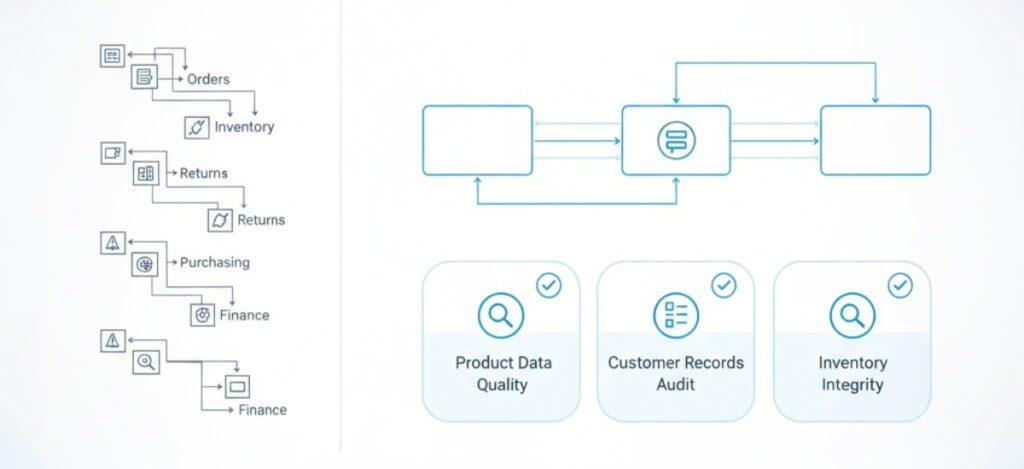
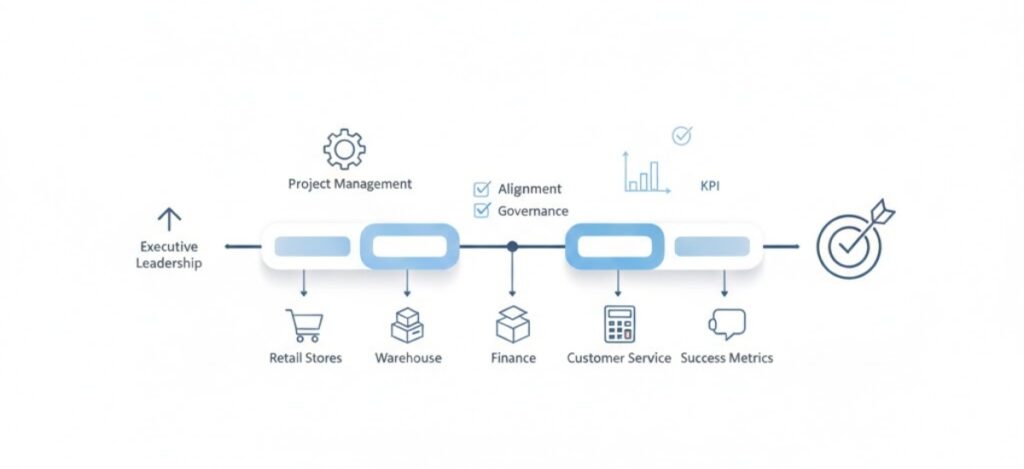
Deliverable: Project charter documenting scope, timeline, team structure and success criteria. Get executive sign-off before proceeding.
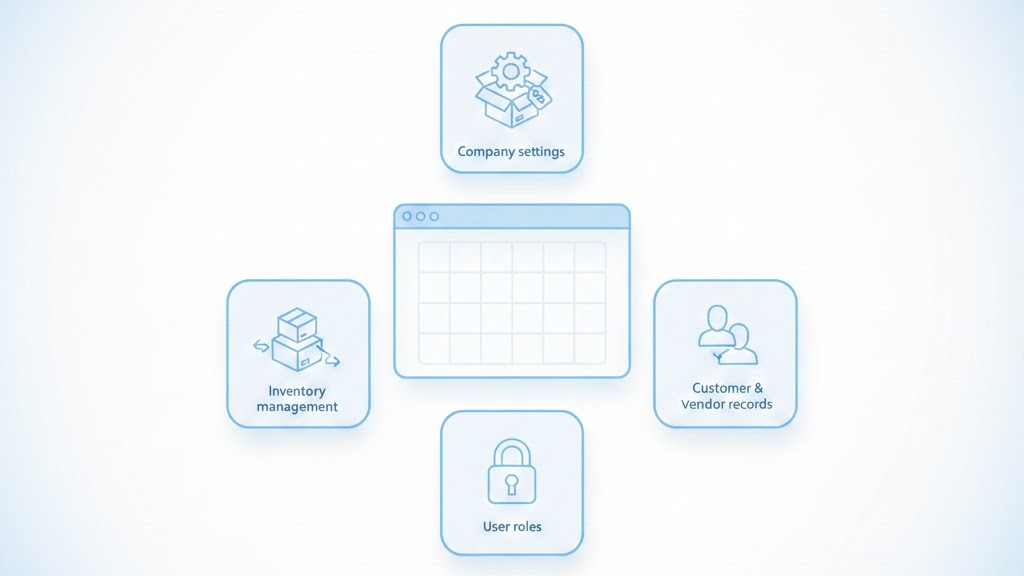
Critical decision: Determine data migration strategy. Will you migrate all historical data or start fresh with current inventory and open orders only? Most retailers choose selective migration to avoid importing years of messy data.
Before proceeding with implementation, ensure you’ve completed ERP selection to validate you have the right system for your needs.
This six-week period transforms the blank ERP system into your operational platform. Work happens in parallel streams: technical configuration, data preparation and integration development.
The most impactful returns capability for Australian retailers. Here’s how it works with integrated ERP:
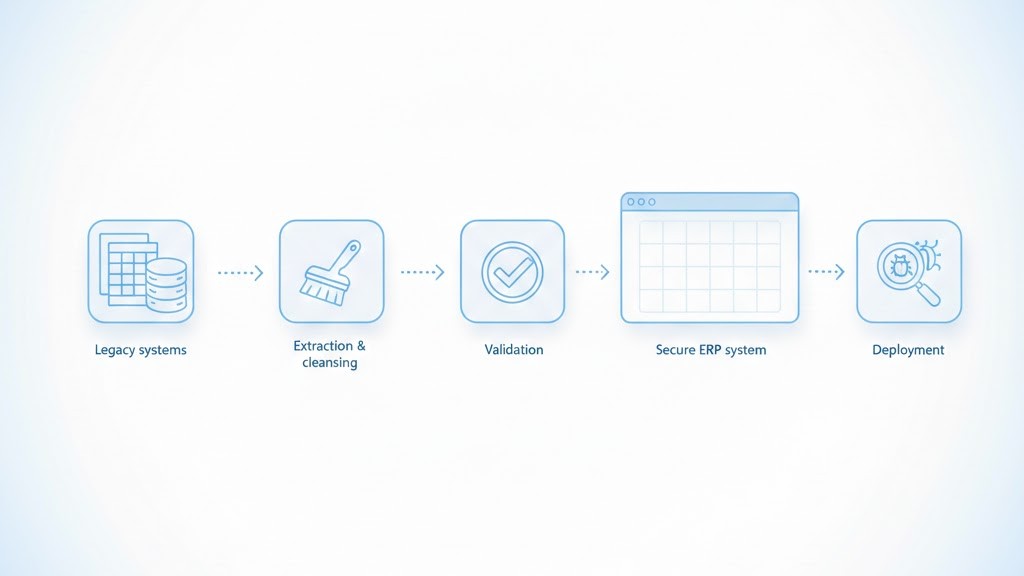
Data migration consumes 30-40% of implementation effort. Don’t underestimate this phase.
The most impactful returns capability for Australian retailers. Here’s how it works with integrated ERP:
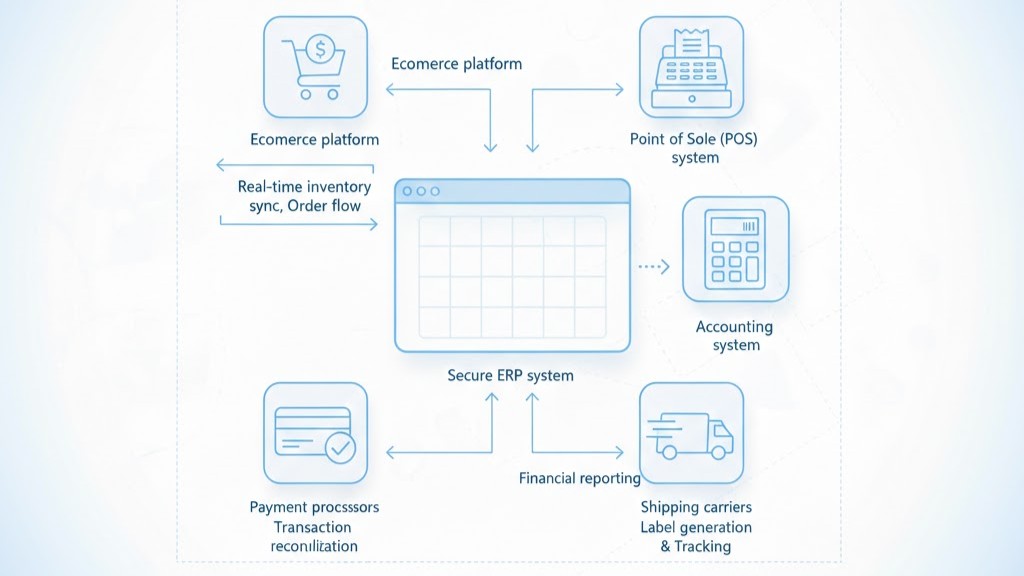
Testing protocol: Test each integration with production-like transaction volumes. Don’t just verify it works—verify it performs at scale.
For planning your deployment architecture, review our cloud deployment guide to understand infrastructure requirements.
User adoption determines whether your ERP investment succeeds or fails. Dedicate proper time to training and let users test the system thoroughly before go-live.
Change management tip: Focus training on ‘what’s better’ not just ‘what’s different.’ Help users understand how the new system solves their current pain points.
UAT validates that the system meets business requirements and users can perform their jobs effectively.
Issue resolution: Document every problem discovered during UAT. Categorize as critical (blocks go-live), high (must fix before launch) or medium (fix post-launch). Address all critical and high-priority issues before proceeding.
The moment of truth arrives. Careful cutover planning makes the difference between smooth transition and operational chaos.
Day 1 priorities: Process real transactions successfully. Don’t worry about optimizing workflows yet—focus on basic functionality working correctly. Speed comes with familiarity.
Implementation doesn’t end at go-live. The first 90 days post-launch determine whether you achieve projected ROI.
The ultimate measure: customers who return items should remain loyal customers. Track 90-day and 365-day repeat purchase rates for customers who’ve made returns versus those who haven’t. Leading retailers find that customers with easy return experiences actually become more loyal, not less.
| Phase | Weeks | Key Deliverables |
|---|---|---|
| Pre-Implementation | 1–2 | Project charter, team structure, process maps, data audit |
| Configuration | 3–8 | System setup, data migration, integration development |
| Training & Testing | 9–11 | User training, UAT, issue resolution, documentation |
| Go-Live | 12–13 | Cutover execution, parallel running, stabilization |
| Post-Implementation | 14+ | Optimization, advanced training, ROI tracking |

Even with a solid roadmap, certain mistakes derail implementations. Watch for these red flags:
ERP implementation doesn’t need to be the disruptive nightmare many retailers fear. With proper planning, realistic timelines and disciplined execution, you can go live in 90 days with minimal operational impact.
The roadmap outlined here represents the proven approach Work Made Simple uses across 150+ Australian retail implementations. We’ve refined these phases through experience with businesses just like yours—retail SMBs that need enterprise capabilities without enterprise disruption.
Success requires three elements: the right technology, a structured implementation approach and experienced partners who understand retail. If you have those three pieces aligned, you’ll be processing your first transactions in the new system 90 days from kickoff—and wondering why you waited so long to make the change.
Most retail SMB implementations take 90-120 days from project kickoff to go-live. Smaller retailers with simpler requirements can complete in 60-75 days, while larger multi-location deployments may require 120-150 days. Timeline depends on scope, data quality and resource availability.
Poor user adoption is the primary risk. Technical implementation usually succeeds, but if staff resist the new system or lack proper training, you won’t achieve ROI. Mitigate this through early stakeholder involvement, comprehensive training and visible executive sponsorship throughout the project.
Focus on change management from day one: involve end users in process design, provide role-specific training with hands-on practice, identify power users as departmental champions, communicate benefits clearly and celebrate early wins. Make adoption part of performance expectations and provide ongoing support through the transition period.